The WD TV is my favorite media player (I think it’s better than the Apple TV), and since I also love the Drobo, I wanted to combine the two and have the ultimate media entertainment center: a Drobo packed full of videos, photos and music, connected to a WD TV, which is connected to a large-screen HDTV. I did just that for my parents in December. It was my Christmas gift to them.

Here’s what you need to keep in mind if you want to do the same thing. As you might guess, several complications arise when you attempt to get a device with huge storage capability connected to a media player. The complications have to do mainly with the file systems that the media player can read and use properly, and with the ability of the on-screen menus to navigate an abundance of content efficiently.
The WD TV can only work fully with NTFS, HFS and FAT32 file systems. By “fully”, I mean will build its own catalog of the media present on those devices, store it at the root level of those drives as a hidden directory, and will let you browse using its on-screen menus, by date or by file name. It will also read the HFS+ file system, which is native to the modern Macs, but it will not be able to write to it and build its own catalog; this means you’ll only be able to navigate the media on that device by folder.
The Drobo can be formatted as an NTFS or FAT32 volume when using a PC, or as an HFS+ or FAT32 volume when using a Mac, if you happen to use the Drobo Dashboard to do it. If you use the Disk Utility app on a Mac, and you also happen to have the 3G NTFS drivers installed, you can also format the Drobo as a 3G NTFS or as an HFS volume.
I ended up formatting my parents’ Drobo as an HFS+ volume. I’ll tell you why below. If you’re not interested in the minutiae, skip ahead to the next paragraph.
- First, I tried formatting it as a 3G NTFS volume. For some reason, the formatting process either froze or took unusually long to complete, and the resulting volume wasn’t readable on the Mac or on the WD TV. I have a feeling that had to do with the fact that the volume was over 2TB in size, and 2TB is the upper limit for NTFS volumes, but I’m not sure.
- I tried splitting the Drobo into two HFS+ volumes, one 2TB and the other 400GB (2.4 TB was the total available space on the Drobo), then formatting those volumes as 3G NTFS volumes, but that didn’t work either. The formatting process kept hanging up in Disk Utility.
- I tried formatting the Drobo as a straight NTFS volume using a Parallels VM running Windows XP (I installed the Drobo Dashboard inside the VM), but that kept hanging up as well. Not sure why. Perhaps I should have used a physical Windows machine, but I didn’t have one available to me.
- I then formatted the Drobo as a FAT32 volume. The upper limit on that was once again 2TB, and I had 2.4TB available. I thought I’d forget about the extra 400GB for a while and just focus on getting the 2TB volume working. Predictably enough, after copying some media over and testing it, it worked fine, but I noticed two things:
- The WD TV took longer and longer to read the device and build its catalog once I connected the Drobo. The more movies I had on the Drobo, the longer it took the WD TV to catalog each of them. That meant waiting up to 20 minutes for the WD TV to get done with its work before I could use it. I didn’t like that.
- I had several movies that were over 4GB in size, and since that’s the upper limit for a single file in the FAT32 system, I couldn’t get them copied over to the Drobo. I didn’t like that either.
- I thought I’d try another route, so I formatted the Drobo as an HFS volume. While this was fully readable and writable on a Mac and also on the WD TV, unfortunately, the maximum file size on HFS is 2GB, and the maximum volume size is also 2TB, same as FAT32 and NTFS. Not much help there.
- The only choice left to me was HFS+. In spite of the fact that the WD TV can only read it, not write to it, this was and still is, I think, the best choice for formatting a Drobo and for working with the WD TV, from the entire group (NTFS, FAT32, HFS and HFS+). The upper limit on an HFS+ volume is 16 EB (exbibytes), which is equal to 1024 pebibytes — basically, an incredible amount of space. One pebibyte is equal to 1024 terabytes, and the upper limit one can get with a Drobo at the moment is 5.5 terabytes, so it’s nowhere near the technical capability of the file system. Furthermore, the upper limit on a single file in HFS+ is 8 exbibytes, which, as shown above, is just plain huge. In plain English, this mean I could format the Drobo as a single HFS+ volume and not worry about any of my movie files exceeding 4GB or more in size.
Great! Now that I’ve put you to sleep, let’s move on. Next on the agenda came the transfer of all the data to the Drobo. You see, I’m also using my parents’ Drobo as an offsite storage device. You know what they say, give and ye shall receive, right? I made them happy by setting up their media center and also got to back up most of my data, media, and photographs. The transfer of the information took a while, as you might imagine. I didn’t time it, but I think it was somewhere between 24-36 hours to copy about 2TB of data from my Drobo to their Drobo. I’m happy to say that the copy operation did not crash, and completed successfully. That’s a testament to the stability of the Drobo as a storage device.
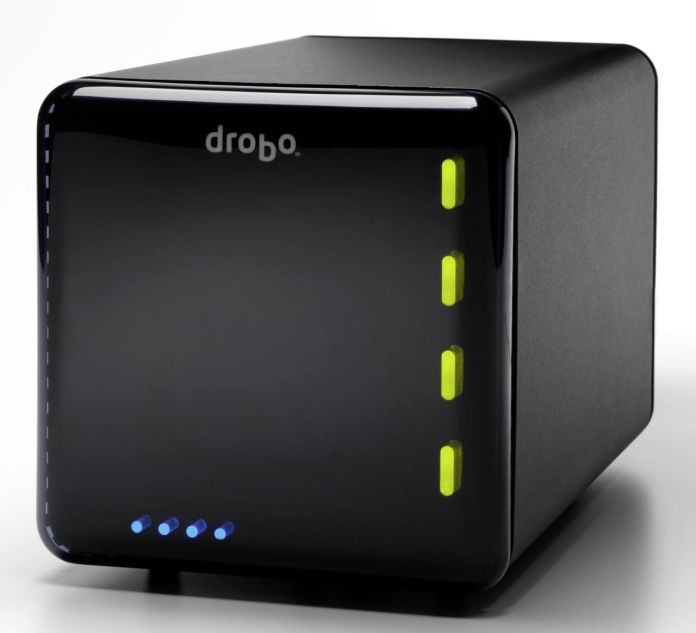
After the data transfer was complete, I was done. It was time to sit back on the sofa and enjoy my hard work. Even though the WD TV couldn’t aggregate the media on the Drobo and build its catalog, which would have let me browse the media by type (video, photo or music), date or title, I was able to browse the Drobo by folder. Since I’d already organized the media that way, I didn’t mind it at all. I had my videos broken down into separate folders for Cartoons (I love classic cartoons), Movies, Documentaries and TV Shows (I love Mister Ed), and I was able to watch most of my stuff.
As a side note, even though the WD TV manual says it’ll play WMV9 files, and my Mister Ed episodes were encoded (I believe) with WMV9 technology, I can’t play them on the WD TV. I’m sad about that, but at least I can watch them on my MacBook and iMac. Perhaps I’ll re-encode them into MP4 files at some point.
I mentioned something at the start of the article about the on-screen menus and their ability to navigate the content efficiently. The WD TV lists the media in thumbnail mode by default, which means you’ll have a little icon next to each media file. When you have a ton of files to look through, that’s not very efficient. Fortunately, you can go into the WD TV settings and change it to List mode. This will list each piece of content on a single line, and will let you see more titles per screen. To scroll up and down the file lists faster, simply hold down the up or down arrows on the WD TV remote, and it’ll accelerate, speeding through the titles.
I’ll concede that the on-screen menus for the WD TV aren’t as slick as those you see on the Apple TV — and by that I mean how easy and quick it is to navigate to a particular title, not the glitz and glamour of a fancier UI skin — so there’s some work to be done there, but the WD TV is much more practical than the Apple TV when it comes to playing your media. You simply plug in a USB drive loaded to the gills with movies and photos, and it’ll play them right away, which is something that the Apple TV just doesn’t do out of the box.
That’s it, folks! Let me summarize things to make it easy for you:
- Format your Drobo in HFS+ if you have a Mac, or NTFS if you have a PC. Keep in mind there’s a 2TB per volume limit under NTFS, and that WD TV will only recognize one volume at a time (at least currently). Stay away from FAT32 and HFS because of the file-size limitations (4GB for FAT32 and 2GB for HFS).
- Transfer your media to the Drobo.
- Enjoy!
Buy a WD TV or a Drobo.
26.011201
-80.149490



 Raoul Pop