
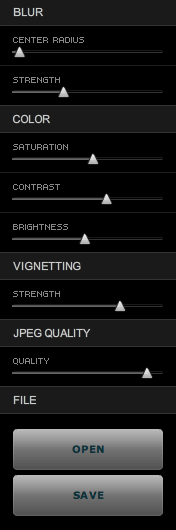
Takayuki Fukatsu has created a free Adobe AIR app called TiltShift, which runs on any OS that supports AIR (namely Mac, Windows and Linux). It will allow you to easily apply tilt-shift effects to any photograph. Best of all, the price is right: it’s free. Even if this app cost $10 or $20, I’d still rather buy it than some Photoshop plugins that cost hundreds of dollars and do pretty much the same thing.
In less than a couple of minutes, I was able to open a photograph of my wife and niece, walking on the streets of Medias, Romania, and add tilt-shift effects to it. Here’s what it looks like now.
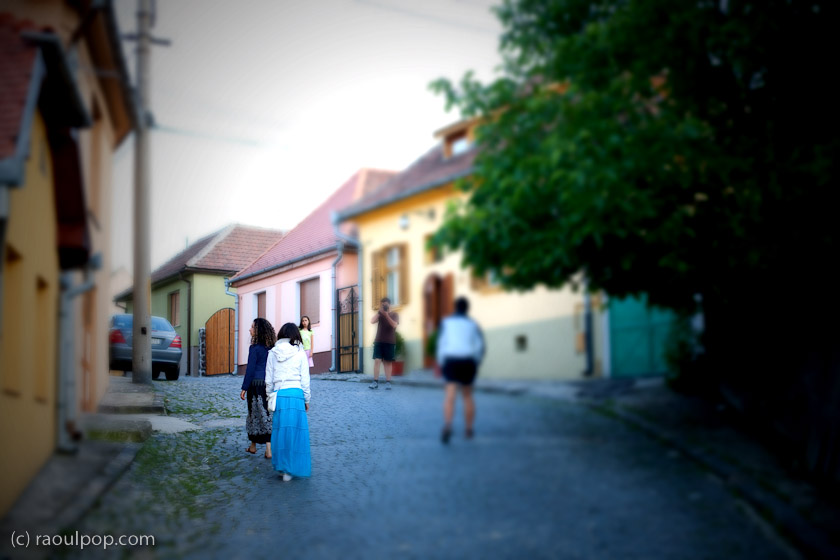
Sure, the tiltshift effect isn’t what you’d get with a LensBaby or with a real tilt-shift lens like the Canon TS-E 24mm f/3.5L (or any of the other professional tilt-shift lenses made by camera manufacturers), but still, it’s better than no effect at all, and it’s free. TiltShift’s controls are really slider-based and really easy to use. You’ll be making tiltshift photos in no time flat. Give it a go and see how you like it.
I mentioned TiltShift initially in one of my Condensed Knowledge posts, back in May.
Discover more from Raoul Pop
Subscribe to get the latest posts sent to your email.
 Raoul Pop
I’ve been using TiltShiftGen on my iPhone for a year, and really had a lot of fun with it. I hadn’t realized they had a desktop version, plus since it works as a Lightroom plug in, it couldn’t be easier to use.
Thanks for the write-up, Raoul!
LikeLike
Pingback: Get the tiltshift look right from Adobe Lightroom – How To - Raoul Pop