
For the past week, I’ve been using the Flickr XP Uploader to publish my photos, and I like it more than jUploadr. Since I add titles and keywords to all my photos in Lightroom, I like it when they are read and transferred automatically to the site when the photos get uploaded. For some reason, jUploadr always managed to lose my titles. It managed to transfer the keywords okay, but not the titles.
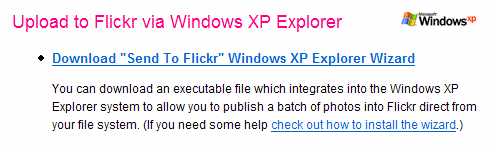
With the Flickr XP Uploader, everything gets transferred as it should, and it works with the built-in capability of Windows XP. It’s so easy! The install involves a simple registry entry. When I want to use it, I select the photos I want to transfer in Windows Explorer, click on Publish to Web, select Flickr, and upload. Within minutes, my photos are up on Flickr with the titles and keywords intact. I love the ease of use and the time savings. If you’re working on Windows XP, give it a try!
Discover more from Raoul Pop
Subscribe to get the latest posts sent to your email.
 Raoul Pop
Pingback: ComeAcross » Choosing between Flickr, Zooomr and Picasa Web
Pingback: photographyVoter.com
Thanks Jim! Just to clarify, I’m not talking about the Flickr Uploader, which I haven’t tried out and I hear doesn’t upload titles and keywords properly. I’m talking about the Windows XP registry key that you can download from the same Flickr Tools section and install on your Windows PC. It lets you use the built-in functionality of XP to upload photos to Flickr. Totally different from the Flickr Uploader.
LikeLike
Great tip. I was just looking for another application to upgrade to from juploadr. I’ll have to try out the Mac OS X version.
LikeLike